
Marketing stops guessing who’s in the club
Signups, cancellations, ship vs. pickup, and purchase history feed Mailchimp as structured data—so allocations and club emails hit the right people.
For DTC teams on Commerce7 + Mailchimp
This app keeps Mailchimp aligned with Commerce7—customers, wine club, carts, orders, and products—so every segment and automation reflects real behavior, not last week’s export.
Opens the App Store. After install, paste your Mailchimp API key in Commerce7 admin—live webhooks start syncing; optional history backfill when you’re ready.
Commerce7 App Store · Mailchimp Marketing API · Webhook-first · Built by 7Labs
How it helps you
You’re not missing “another integration”—you’re fixing the gap between what happened in Commerce7 and what Mailchimp thinks happened.
Signups, cancellations, ship vs. pickup, and purchase history feed Mailchimp as structured data—so allocations and club emails hit the right people.
Carts sync with line items and context. When the order completes, the cart clears—so you don’t nag someone who already bought.
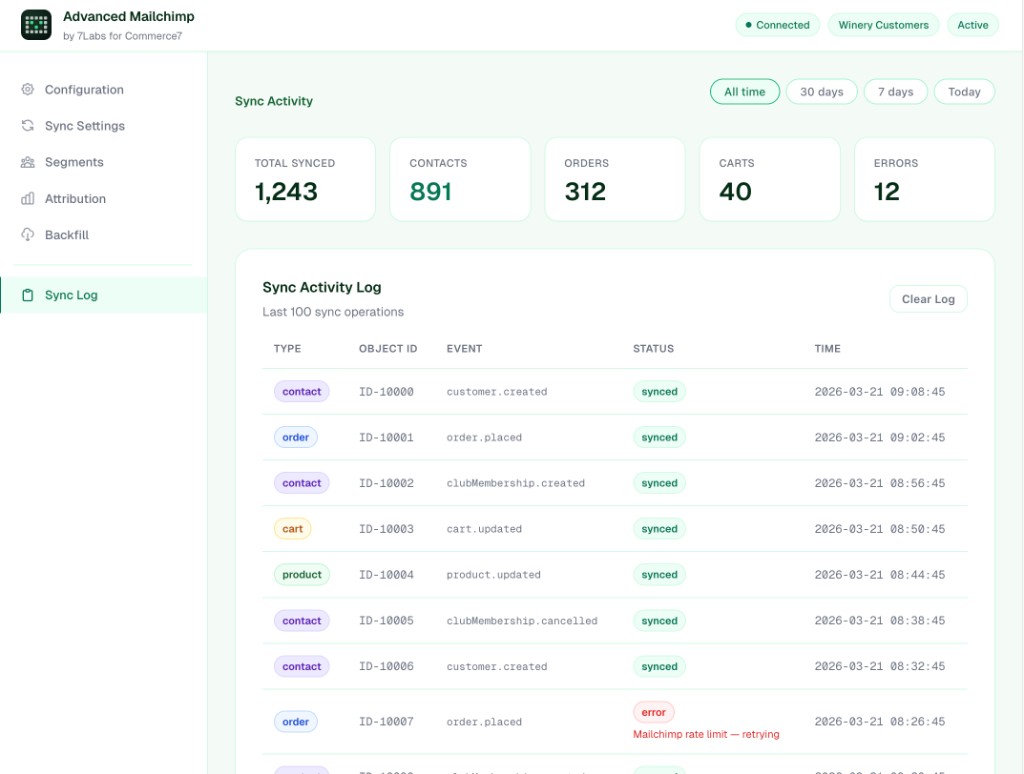
Retries, deduplication, and a per-event log mean rate limits and duplicate webhooks don’t turn into mystery missing data.
Under the hood
Webhooks notify the app; it writes to your audience and e-commerce store. No batch job and no manual upload in the middle.
See it
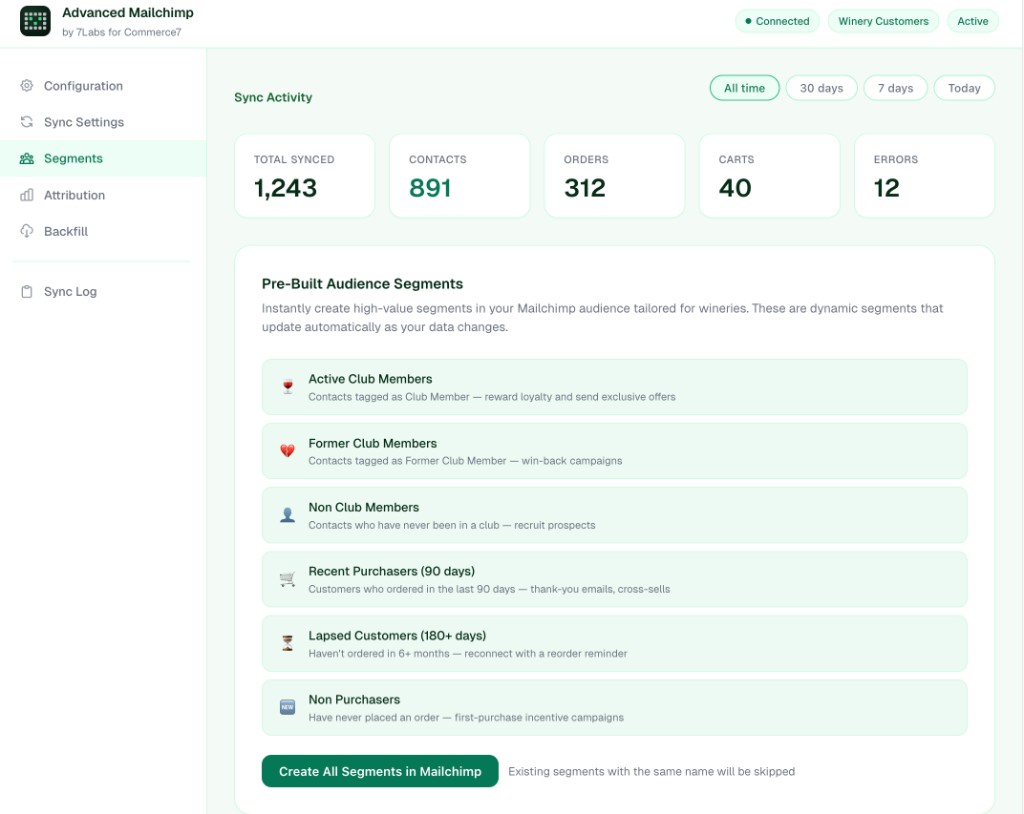
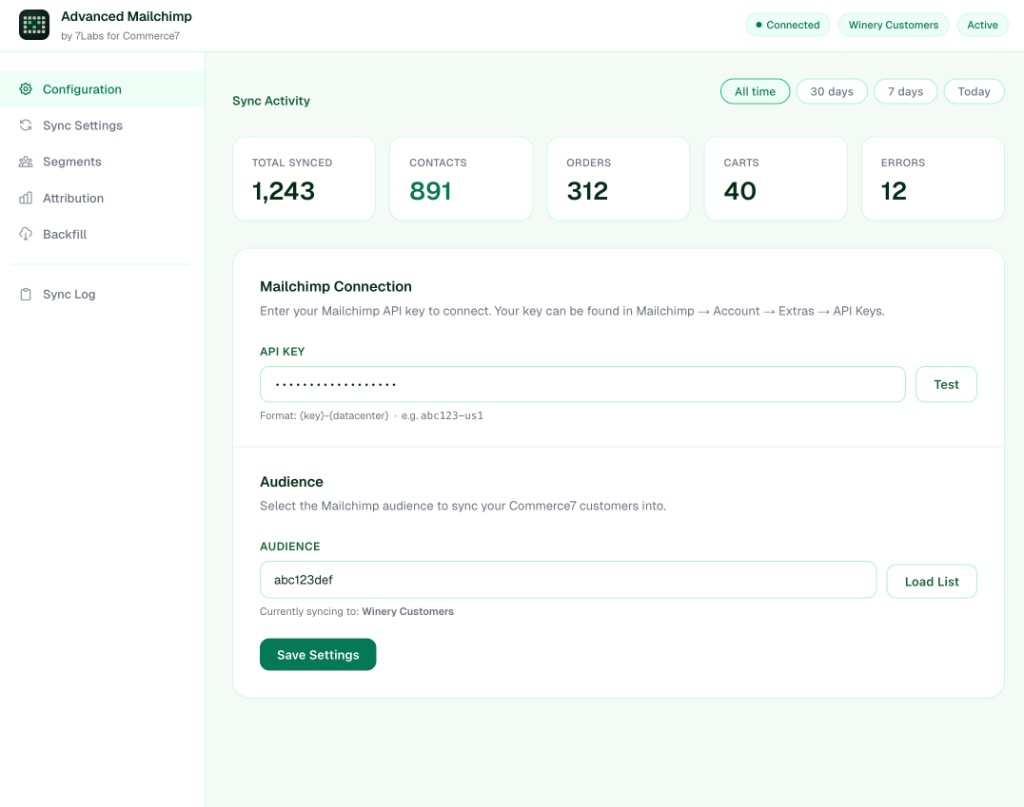
Connect Mailchimp, tune sync, use pre-built winery segments, and read the log when you need to—without opening five tabs.
Full setup (API keys, webhooks, backfill, consent) is in the documentation.
Reality check
Same Mailchimp account—very different results when the list is fed by exports vs. Commerce7 events.
Stale segments
Club and purchase data lags; VIPs get treated like strangers.
Contacts, orders, carts, and products update from webhooks.
Invisible carts
Abandoned-checkout journeys never get fair inputs.
Carts sync with context; they clear when orders complete.
Silent failures
Rate limits and duplicate webhooks drop data quietly.
Retries, dedupe, and a sync log you can read.
Flat lists
No structured e-commerce data for revenue segments.
Orders and customers in Mailchimp’s store model.
Drifting catalog
Product blocks don’t match what’s for sale.
Product updates flow through from Commerce7.
Wrong consent defaults
One subscribe rule for club, DTC, and tasting room.
Consent modes that match how you capture email.
Compare
When Commerce7 is the source of truth, Mailchimp finally acts like it.
| You need | CSV & spreadsheets | This app |
|---|---|---|
| Fresh club & customer state | Hours to days old | Updated on events |
| Abandoned cart journeys | Missing or manual | Carts from Commerce7 |
| Purchase & revenue context | Patchy in Mailchimp | E-commerce orders & customers |
| When something fails | You hear from customers | Retries + sync log |
| Historical data | Another project | Backfill from C7 API |
Features
Not a generic connector—mapping, retries, and winery-specific segments in one place.
Customers, orders, carts, and products update as Commerce7 emits events.
Membership, ship vs. pickup, club name—kept aligned for targeting.
Line items and checkout context; carts clear when orders land.
Store, customers, and orders for purchase segments—not flat contacts only.
Active club, former club, recent buyers, lapsed—aligned to synced data.
Backoff, dedupe against duplicate webhooks, optional history sync.
Explicit, club-based, or purchase-based—match your policy.
Campaign summaries and audience stats where you configure the app.
Use cases
Same workflows; segments and journeys that reflect Commerce7.
Target recent buyers and active club without rebuilding lists every time.
Welcome, ship vs. pickup, and win-back when tags flip to former member.
Journeys triggered off real carts—especially during peak traffic.
Segments powered by purchase timestamps and revenue signals.
Get started
Configure in Commerce7 admin—no separate engineering project.
Add Advanced Mailchimp from the Commerce7 App Store.
API key, test connection, pick your audience.
Toggle customers, orders, carts, products, tags; set consent mode.
Watch the sync log; run optional historical backfill.
FAQ
Straight answers—no vendor fog.
Install from Commerce7, connect Mailchimp, and let webhooks keep the list honest—segments, carts, club state, and orders in one continuous loop.
Get Advanced MailchimpCommerce7 App Store · Configure inside your admin · Docs
Social proof
When the list finally matches the POS
Quotes and names are samples for layout—swap for approved customer stories and logos when you have them.